10 Tips for Choosing the Right Embedded Computer

Choosing the right Embedded Computer is rarely a simple matter of comparing processor speeds. A reliable decision begins with the machine’s real working environment. Will it operate inside a dusty factory cabinet, a refrigerated vehicle, or a sealed medical device? Each setting changes the requirements for cooling, enclosure strength, power input, and long-term stability.

A practical evaluation should examine processing needs, available I/O, storage options, operating-system support, network performance, and expansion capacity. Datasheets provide essential specifications, but hands-on testing often reveals more. Engineers should check boot times, thermal behavior, vibration resistance, and performance under continuous workloads. A compact unit may look efficient on a workbench, yet become difficult to service after installation. That detail matters.

Lifecycle support deserves equal attention. Industrial systems may remain active for seven years or longer, so component availability and firmware maintenance can influence total cost. Certifications, security features, and supplier responsiveness also help establish trust. Ask direct questions. Get written answers.

No checklist is flawless. A team may select a powerful processor and overlook connector placement, fan noise, or unstable power at the site. That mistake can delay deployment and increase maintenance costs. These ten tips connect technical specifications with practical evidence, helping readers compare Embedded Computer options with greater confidence. The goal is not to choose the most impressive model. It is to choose a dependable platform that fits the application, the environment, and the people responsible for keeping it running.
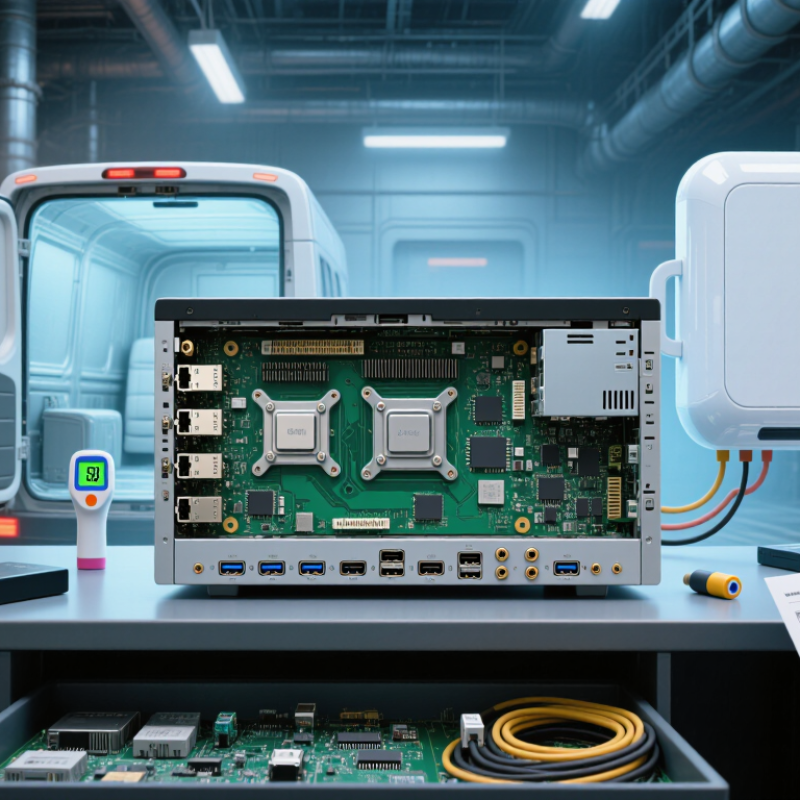
10 Tips for Choosing the Right Embedded Computer

Define Workloads with CPU Benchmarks, TDP, and 24/7 Duty-Cycle Targets

10 Tips for Choosing the Right Embedded Computer

Define the workload before comparing processor numbers. A vision system may need sustained image processing, while a controller may spend most of its time idle. Use CPU benchmarks that resemble the real application, not only synthetic scores. Test the actual software, data size, and input rate. A higher score can still disappoint when memory access becomes the bottleneck.

Tip 1: Measure sustained performance, not short bursts. Run the computer for several hours and record response time, temperature, and throttling.

Tip 2: Treat TDP as a thermal planning value, not a complete power guarantee. Enclosures, airflow, ambient heat, and storage devices can raise the final load. In a sealed cabinet, even a modest processor may need a heat spreader or lower operating limit.

Tip 3: Set a clear 24/7 duty-cycle target. Continuous operation demands stable performance, predictable cooling, and components rated for long service. Include startup cycles, peak workloads, and recovery after power interruptions.

My early estimates were too optimistic because I tested average loads instead of worst-case bursts. That mistake changed the design. Leave practical headroom, but do not oversize blindly; unused processing capacity can increase heat, cost, and power consumption.

Document benchmark settings, thermal conditions, and failure observations so another engineer can reproduce the decision.


Match Form Factor and I/O to COM Express, PC/104, or 1U Standards

10 Tips for Choosing the Right Embedded Computer

Match Form Factor and I/O to COM Express, PC/104, or 1U Standards

Tip 1: Start with the enclosure, not the processor. Measure the available depth, mounting holes, airflow path, and service clearance. COM Express modules need a carrier board for application-specific I/O. PC/104 systems suit stacked boards and compact, rugged installations. A 1U design demands careful attention to rack height and front-panel access. I have seen projects fail because engineers measured the board but ignored cable bends.

Tip 2: Create an I/O map before selecting hardware. List every required port, including serial channels, USB connections, network links, storage interfaces, and display outputs. Check connector placement against the enclosure drawing. Similar interfaces can still create difficult wiring. Keep spare I/O where possible. Field changes happen.

Tip 3: Treat thermal behavior as a design requirement. A compact computer may fit perfectly but overheat behind a sealed panel. Review processor power, heatsink height, fan direction, and ambient temperature. Passive cooling is attractive, yet it may limit sustained performance. I once underestimated dust buildup in a ventilated cabinet. That assumption needed correction.

Tip 4: Confirm mechanical and electrical compatibility early. Verify bus signals, expansion limits, mounting strength, vibration tolerance, and input-voltage range. Ask for lifecycle information and documented test results. Reliable suppliers should provide clear drawings and environmental specifications. Do not rely on a product photograph. It can hide important details.

10 Tips for Choosing the Right Embedded Computer

Match the mechanical envelope and available I/O to COM Express, PC/104, or 1U deployment requirements.

Reference dimensions are shown in millimeters. COM Express Basic modules use a 125 × 95 mm footprint, while PC/104 boards use approximately 90.17 × 95.89 mm. A 1U rack enclosure has a standardized 44.45 mm height and 482.6 mm nominal width; enclosure depth and internal board dimensions vary by system design. Use the mechanical envelope first, then verify connector placement, expansion needs, cooling clearance, and required I/O.

Specify Ruggedness Through IP Ratings, -40°C to 85°C, and MIL-STD-810

Choosing the right embedded computer starts with the environment, not the processor. IP ratings show how well an enclosure resists solids and water. IP65 means dust-tight protection and resistance to water jets. IP67 adds temporary immersion protection. These ratings describe enclosure testing, not every connector or cable. An uncovered service port can weaken the entire installation.

Temperature deserves equal attention. A stated operating range of -40°C to 85°C sounds impressive, but it needs context. Check whether the range applies to the complete system, storage, or only selected components. Heat from sealed enclosures may cause processor throttling. Cold starts can expose weak batteries, displays, and lubricated parts. Measure temperatures near the processor during realistic workloads. I have seen designs pass room-temperature checks and struggle inside a sun-heated cabinet. That mistake is easy to repeat.

MIL-STD-810 should be treated as a testing framework, not a universal quality label. Relevant methods may include vibration, shock, humidity, altitude, temperature cycling, and dust exposure. Ask for test conditions, sample configuration, pass criteria, and the tested mounting arrangement. A computer tested without its final cables may behave differently in service. Reviewers should also confirm whether storage devices, connectors, and accessories share the same limits. Some specifications remain unclear. That is a reason to request evidence, not assume protection.

Compare Reliability Using MTBF, 5–10-Year Supply Commitments, and ECC RAM

Choosing an embedded computer requires more than checking processor speed or enclosure size. Reliability depends on evidence gathered across years of operation. MTBF is a useful starting point, but it is not a promise that every unit will last that long. Ask how the figure was calculated, at what temperature, and under which workload. A high MTBF based on mild laboratory conditions may mislead you.

Supply continuity matters just as much. A computer installed inside a traffic cabinet, factory line, or medical monitoring system may be difficult to replace. Look for a written five- to ten-year supply commitment, plus a clear notice period for component changes. Confirm whether repairs, BIOS updates, and technical support will remain available.

I have seen projects suffer when a small connector became unavailable. The computer still worked, but production planning did not.

ECC RAM can strengthen reliability by detecting and correcting many single-bit memory errors. This matters in systems running continuously, especially near electrical noise, vibration, or temperature changes. Check whether ECC is supported by the processor, memory modules, and firmware together. Do not assume it is enabled by default.

Also review thermal testing, burn-in procedures, storage endurance, and field-replacement access. Some specifications look impressive. The unresolved details deserve closer attention.

Validate Security with TPM 2.0, Secure Boot, and IEC 62443 Controls

10 Tips for Choosing the Right Embedded Computer

Security should be tested before an embedded computer reaches the production line. The 2024 Data Breach Investigations Report recorded a 180% rise in vulnerability exploitation. The 2024 Cost of a Data Breach Report placed the average incident cost at $4.88 million. These figures make hardware trust a purchasing requirement, not a marketing feature.

A TPM 2.0 can protect cryptographic keys and record measured boot events. Secure Boot should then verify every firmware layer before execution. Ask where the root keys are generated, stored, rotated, and revoked. Check whether debug ports can be disabled permanently. Small details matter. A forgotten recovery key can weaken an otherwise strong design.

IEC 62443 controls add process discipline. Review secure development practices under IEC 62443-4-1 and technical requirements under IEC 62443-4-2. Map each control to evidence, such as signed firmware logs, vulnerability records, and update procedures. Field assessments often expose gaps between documented policy and shipped configuration. A TPM is not a cure-all. Secure Boot also fails when signing keys are poorly managed. I would question any supplier offering certificates without test results, lifecycle dates, and incident-response contacts. Trust needs evidence.

10 Tips for Choosing the Right Embedded Computer - Validate Security with TPM 2.0, Secure Boot, and IEC 62443 Controls

No. Selection Tip Security Dimension Validation Criteria Recommended Evidence
1 Define the threat model first Assets, attackers, trust boundaries, and operational exposure Document protected assets, physical access assumptions, network exposure, maintenance methods, and consequences of compromise before comparing hardware. Approved threat model, risk register, data-flow diagram, and security requirements specification.
2 Require a TPM 2.0 implementation Hardware-backed key protection and platform identity Confirm support for TPM 2.0 as specified by ISO/IEC 11889, including secure key storage, random-number generation, PCRs, and device identity functions. TPM capability report, firmware configuration record, TPM software-stack compatibility test, and attestation demonstration.
3 Verify Secure Boot and signed updates Boot-chain integrity and firmware authenticity The platform should reject unsigned or incorrectly signed firmware, maintain a protected key hierarchy, support authorized key rotation, and prevent rollback to revoked versions. Secure Boot configuration, signing-policy documentation, failed-signature test results, revocation procedure, and rollback-protection test.
4 Check measured boot and remote attestation Proof of software state during startup Boot measurements should be extended into TPM PCRs and made available to an authorized verifier so that unexpected firmware or configuration changes can be detected. PCR baseline, event log, attestation quote, verifier policy, and an alert generated from a deliberately modified boot component.
5 Map the design to IEC 62443 controls Industrial automation and control-system security Use IEC 62443-4-1 for secure product development practices and IEC 62443-4-2 for component-level security requirements, with a documented target security level appropriate to the risk. IEC 62443 requirement matrix, security-level rationale, secure-development lifecycle records, and independent assessment results where applicable.
6 Evaluate vulnerability and patch support Product maintenance and vulnerability response Choose a supplier with a published vulnerability-reporting process, documented security advisories, defined response responsibilities, and a support period suitable for the system lifecycle. Product security policy, vulnerability disclosure process, update history, end-of-support policy, and sample security advisory.
7 Protect stored data and credentials Confidentiality, key management, and storage integrity Confirm support for encrypted storage, protected credential provisioning, least-privilege access, secure key deletion, and recovery procedures that do not expose secrets. Encryption architecture, key-lifecycle procedure, provisioning records, access-control matrix, and data-remanence test results.
8 Assess network and interface hardening Communication security and attack-surface reduction Disable unused interfaces, require authenticated and encrypted management access, separate operational networks where appropriate, and restrict services to documented business needs. Port-and-service inventory, firewall rules, network segmentation diagram, configuration baseline, and vulnerability-scan report.
9 Test physical tamper resistance Protection against local or supply-chain access Evaluate protection of debug ports, boot media, removable storage, console access, and TPM-related secrets under the expected physical-access scenario. Disabled-debug verification, enclosure and port inspection, tamper-response procedure, manufacturing security controls, and penetration-test findings.
10 Validate security during lifecycle operations Provisioning, monitoring, recovery, and decommissioning Confirm secure factory provisioning, audit logging, time synchronization, incident recovery, configuration backup, certificate renewal, and secure retirement procedures. Lifecycle security plan, provisioning checklist, log-retention policy, recovery exercise, certificate-renewal test, and secure disposal record.

Validation note: TPM 2.0 and Secure Boot provide technical security capabilities; alignment with IEC 62443 requires documented risk analysis, defined requirements, implementation evidence, and appropriate assessment for the intended industrial environment.

Get a Quote
910-483-7828